How to Use the Clearance Calculators

Use these simple calculators to determine if the Murphy bed will work in the room and clear surrounding obstacles.

Enter the distance of the object (such as a ceiling fan, light fixture, cabinet, or molding) from the wall and the height from the floor. The calculator will instantly tell you whether the bed will clear that point or interfere with it.

  • CLEAR means the bed will safely miss the obstacle.
  • NOT CLEAR means the bed would contact the obstacle.
  • The “Clear by” value shows how many inches of extra clearance you have.
  • If it does not clear, the calculator shows how far the obstacle is inside the bed’s swing path.

These tools are helpful for checking:

  • Ceiling fans and light fixtures
  • Crown molding and trim
  • Upper cabinets and shelving
  • Sloped ceilings
  • Low hanging décor

For best results, measure carefully and allow an extra safety buffer for trim, tolerances, and real-world conditions.

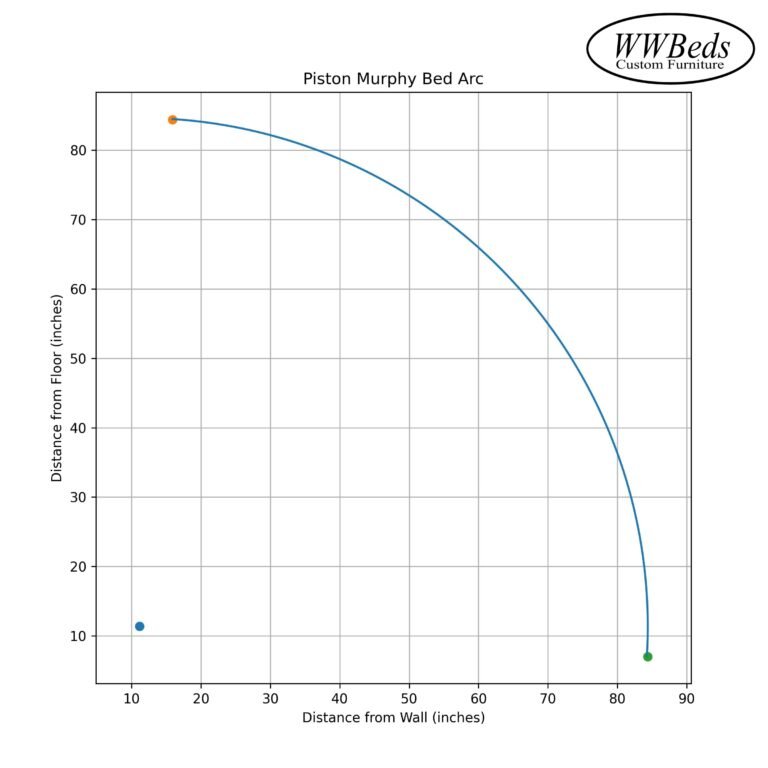
Piston Murphy Bed Arc – Clearance Checker

Pivot: (11.125, 11.375)
Radius: 73.27 in
Enter X and Y to see clearance.

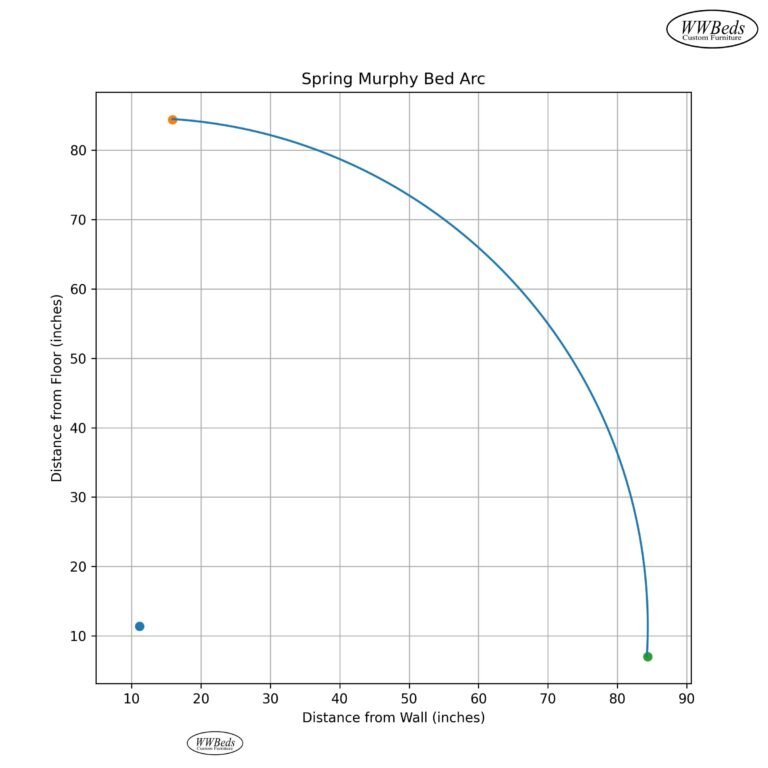
Spring Murphy Bed Clearance Checker

Pivot: (14, 13.25)
Radius: 74.29 in
Enter X and Y to see clearance.